
Introduction
Video calling has become a huge part of our daily communication. Friends, families, students, and professionals all depend on video calls to stay connected.
Many users, especially Android users, often search for the FaceTime app for Android because FaceTime is one of the most popular video calling apps on Apple devices.
However, since FaceTime was originally designed for iPhones and Macs, Android users may wonder how they can use it on their own devices.
This guide explains everything you need to know about the FaceTime app, how Android users can access it, and the best ways to enjoy FaceTime-like features on Android.
What Is FaceTime and Why Is It Popular?
FaceTime is Apple’s official video and audio calling app. It is known for its excellent video quality, strong performance, and easy-to-use design.
Apple users love FaceTime because it is built directly into their devices, making communication fast and simple.
Android users searching for the FaceTime app for Android usually want:
- Clear video calls
- Simple interface
- Stable connection
- Easy communication with friends using Apple devices
Even though FaceTime is an Apple service, Android users now have ways to join FaceTime calls.
Can You Get FaceTime App for Android?
The first big question many users ask is: Is there a direct FaceTime app for Android?
The answer is no — there is no official FaceTime app for Android. Apple has not released a full FaceTime application for Android devices.
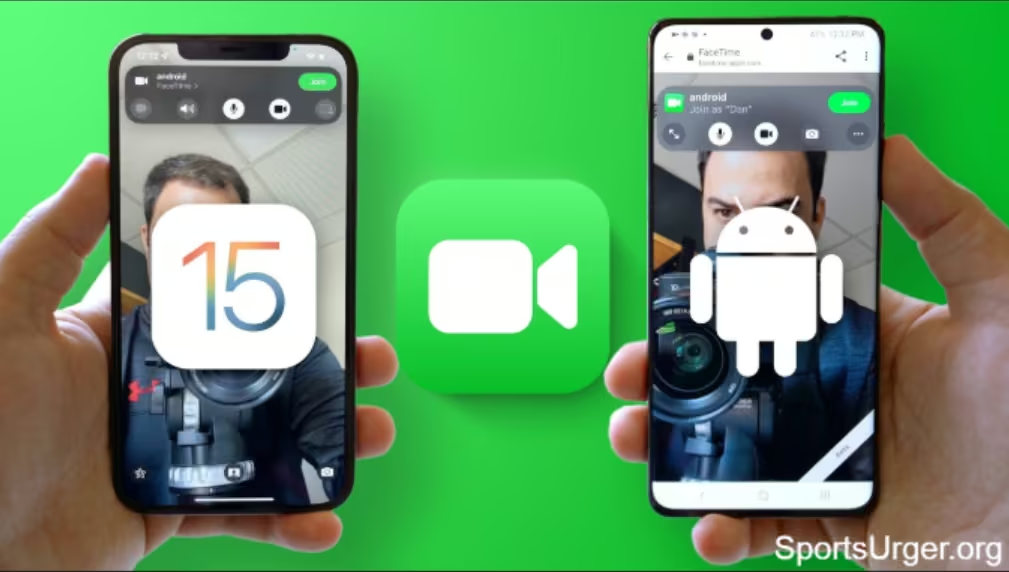
However, Android users can still join FaceTime calls through a special link created by someone using an Apple device. This means Android users can participate in FaceTime video calls, even though they cannot download the app.
How Android Users Can Join FaceTime Calls
Even without a direct FaceTime app for Android, you can still use FaceTime in a different way. Here is how it works:
- Someone with an iPhone or Mac creates a FaceTime call link.
- They share the link with you.
- You open the link in your browser on your Android phone.
- You join the call through the browser interface.
This method is simple and allows Android users to stay connected with Apple users.
Why Many People Search for FaceTime App for Android
There are many reasons why users want the FaceTime app for Android. Some of the most common ones include:
- They have family or friends using iPhones
- They want high-quality video calls
- They like FaceTime’s simple design
- They want to join group video calls
- They wish to use FaceTime features without switching devices
Because of these reasons, many Android users look for a way to use FaceTime on their phones.
FaceTime Features You Can Use on Android
Even though Android does not have the official app, the browser version still gives access to many useful features. With the FaceTime app for Android alternative (browser version), you can:
- Join video calls
- Mute or unmute your microphone
- Turn camera on or off
- Use full-screen mode
- Chat with Apple users easily
These features make the experience similar to using the FaceTime app itself.
Best Alternatives to FaceTime App for Android
Since there is no official FaceTime app for Android, many users prefer alternative apps that offer similar or better features. These apps work on both Android and iPhone, making communication easier.
Here are some popular alternatives:
1. Google Meet
It offers clean design, good video quality, and easy scheduling.
2. WhatsApp
A popular choice for quick video calls with strong encryption.
3. Zoom
Great for meetings, online classes, and group calls.
4. Messenger
Simple for family and friends, with fun filters and effects.
5. Skype
A classic video calling app known for its reliability.
These apps work smoothly on Android and offer features similar to the FaceTime app for Android experience.
Why Alternatives Work Better for Android Users
Using alternative apps often provides a better experience than trying to use the FaceTime app for Android through the browser. Here’s why:
- You can create and join calls anytime
- Apps are optimized for Android
- More features are available
- Better compatibility with contacts
- Less setup and easier communication
Most alternatives also support large group calls, making them ideal for meetings and family gatherings.
How to Choose the Best FaceTime App for Android Alternative
If you are looking for the best substitute for the FaceTime app for Android, here are simple things to consider:
1. Video Quality
Choose an app that offers HD or full-HD video support.
2. Ease of Use
A simple interface makes calls smoother.
3. Device Compatibility
Make sure the app works well on different devices.
4. Privacy & Security
Strong encryption keeps your calls more secure.
5. Group Call Support
If you talk to many people at once, choose an app that supports group video calls.
These points will help you pick the best option for your needs.
What the Future Holds for FaceTime App for Android
Apple may or may not release a full FaceTime app for Android in the future. However, the fact that they introduced browser support shows that they are becoming more open.
In the future, we might see:
- More features for Android users
- Better browser performance
- Improved cross-platform calling
- New updates for smoother communication
This means the FaceTime app for Android experience could get even better over time.
Conclusion:
The FaceTime app for Android may not exist as a full downloadable app, but Android users can still join FaceTime calls easily through their browser.
This makes communication with Apple users simple and convenient. Even though some features are limited, the basic video calling experience is smooth, clear, and easy to use.
For those who want more features, several great alternatives provide similar or even better performance.
Whether you use FaceTime through the browser or choose another app, Android still offers many ways to stay connected with the people you love.